
RetroAchievements is now in tico
RetroAchievements is now in Tico
Starting today, Tico has full native RetroAchievements support. Track your progress, earn achievements, and sync your profile across some of the most beloved retro systems ever made — all without leaving the app.
Supported platforms include Dreamcast, FinalBurn Neo, Game Boy, Game Boy Color, Game Boy Advance, Game Gear, Master System, Mega Drive, Nintendo 64, NES, PlayStation, PSP, Sega CD, Sega Saturn, and Super Nintendo.
Your profile, inside Tico
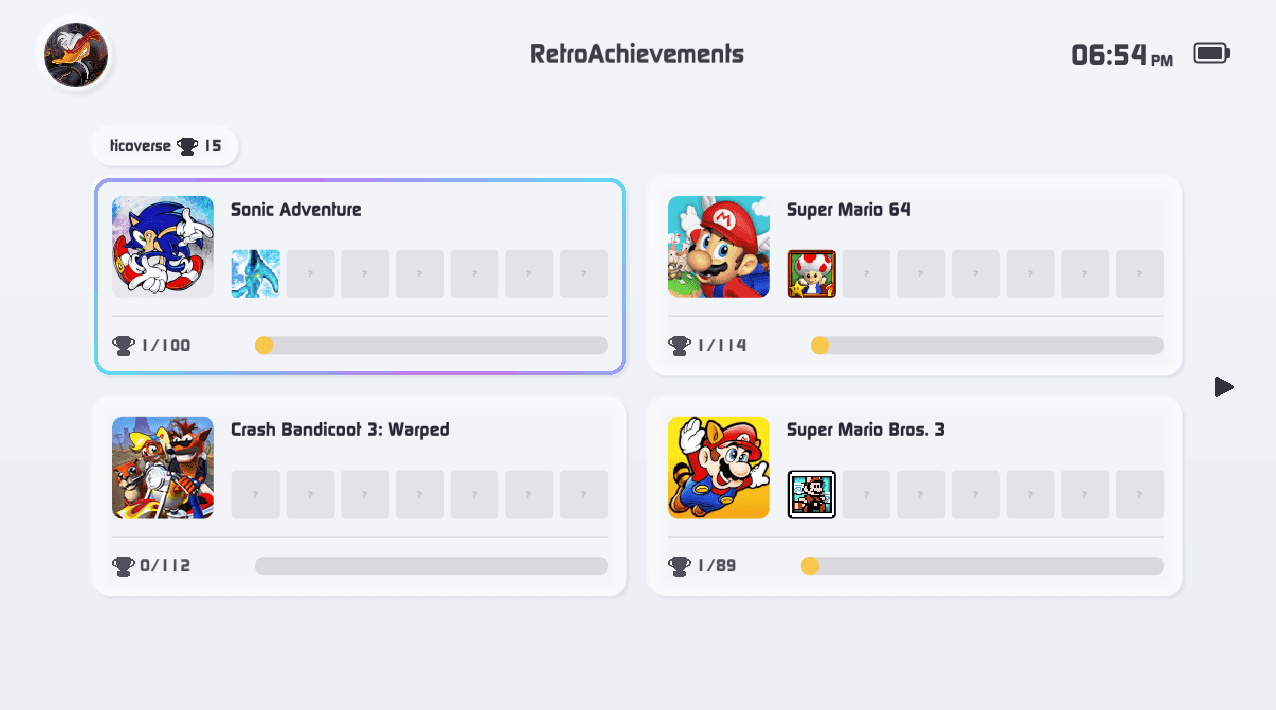
Tico now includes a dedicated RetroAchievements screen where you can view your profile, check completion rates, and see everything you've unlocked across supported games — all in one place.
Every achievement, fully detailed
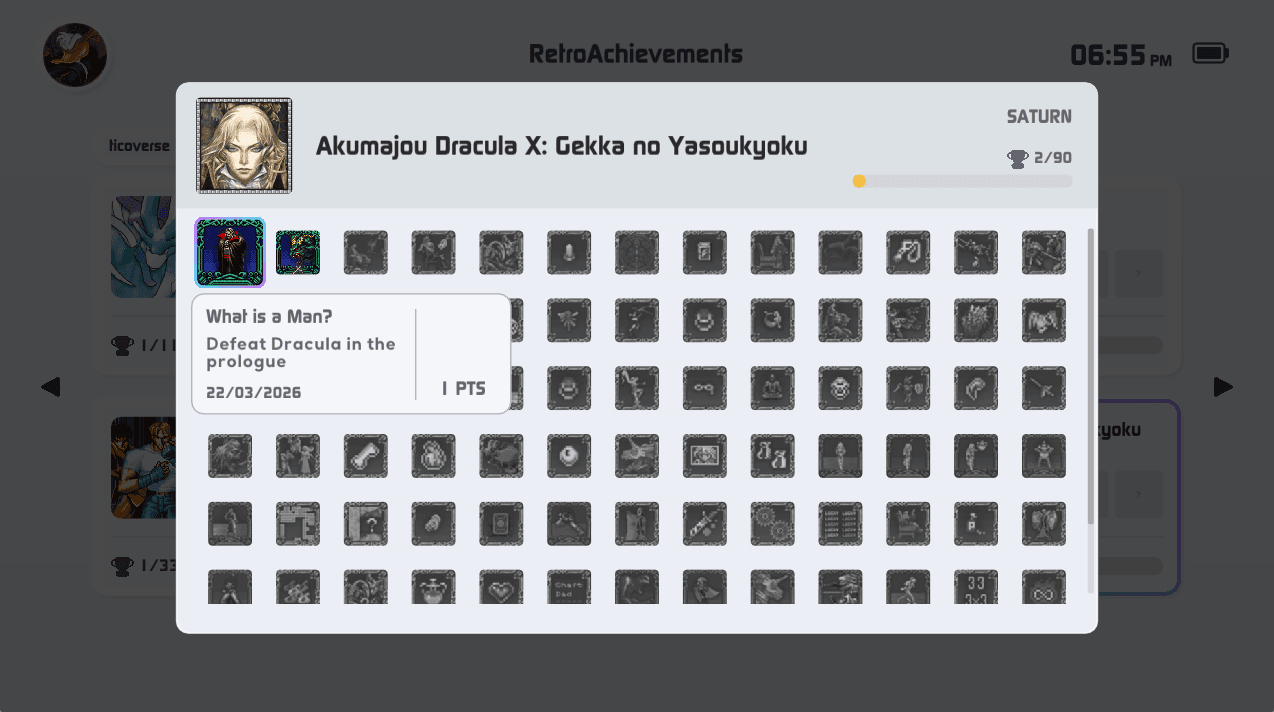
Open any game and you'll find a complete achievement list: what you've earned, what's left, and exactly what each one requires. No need to tab out to the website.
Instant in-game feedback
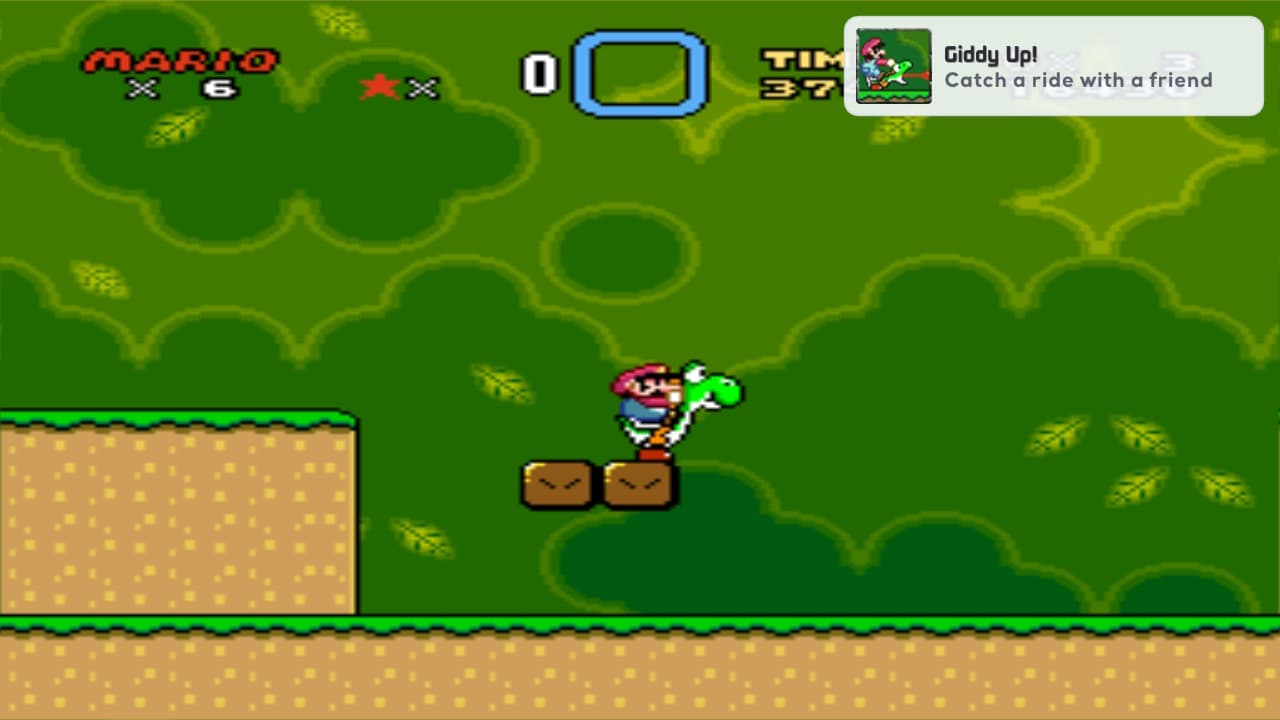
The moment you unlock an achievement, Tico lets you know. An overlay notification pops up mid-session with sound feedback — the way it should feel.
How to set it up
Go to Settings → Accounts and add your RetroAchievements credentials:
Username and password
— used by cores to unlock achievements
Web API Key
— used to load your profile and progress
You can grab your API key at retroachievements.org/settings under Authentication. Everything is stored locally on your device.
One thing to keep in mind: RetroAchievements requires verified ROMs. Your files need to match hashes from the official database — you can look up supported hashes for any game directly on RetroAchievements.